How to tell your tracking is broken
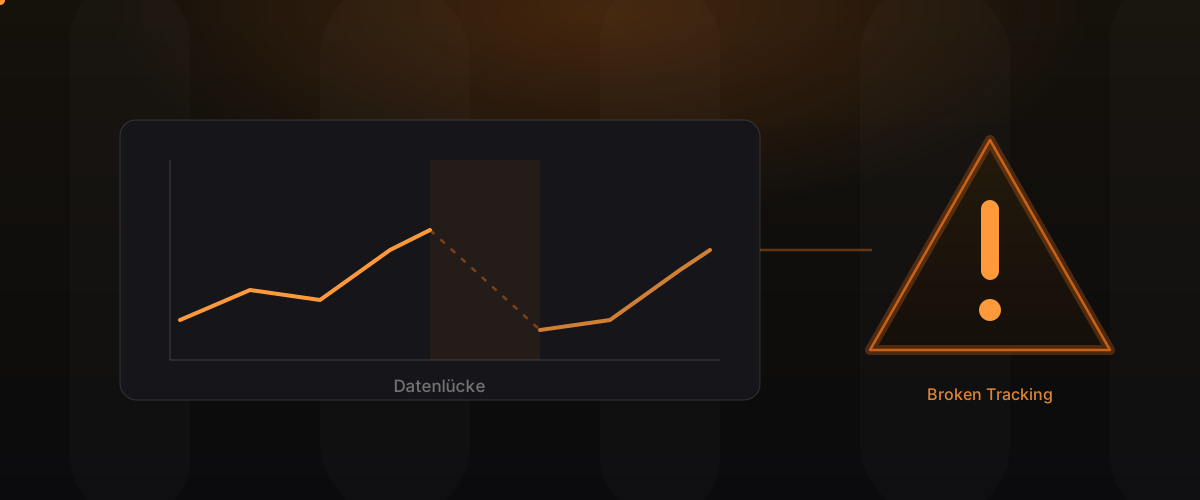
Very few companies notice that their tracking is broken. There is no error message, no red warning light, no crash. Instead, the reports keep delivering numbers, only those numbers are increasingly wrong. That is exactly what makes broken tracking so expensive: you optimise with full conviction on values that have less and less to do with reality. This guide shows the concrete warning signs that tell you you are losing or distorting data, how to diagnose them and when moving to more robust measurement is genuinely worth it.
Key takeaways
- Broken tracking does not report itself; it quietly corrupts the basis for your decisions.
- Typical symptoms are diverging numbers, unrealistic user values and data breaks.
- Many signals can be spotted without special tooling once you know what to look for.
- When the signs pile up, server-side tracking is usually the sustainable solution.
Warning sign 1: GA4 and the ad account diverge
The clearest and at the same time most common symptom: the conversions in GA4 and those in your Google Ads or Meta account diverge significantly. A certain difference is normal, because both systems count and attribute differently. But if the values keep diverging by double-digit percentages, that is no longer a measurement detail; it is a sign of systematic data loss.
It becomes especially critical when you do not know which of the two values is closer to the truth. Then you lack the basis to decide which report you can trust at all. This is precisely the moment when budget is allocated on a false assumption.
Warning sign 2: an unrealistic number of returning users
Browsers keep shortening the lifespan of client-side cookies. Apple’s ITP, for example, often limits it to a few days. The result: one and the same user returning after a week is counted as a new visitor. Your reports then show an unrealistically high share of new users and a vanishingly small share of returning ones.
If your return rate looks suspiciously low over a long period, even though you know customers come back more than once, that is a clear sign. You lose the ability to measure customer loyalty and the true value of returning visitors.
Warning sign 3: a data break after the consent banner
A frequent pattern: after introducing or changing a cookie banner, the measured data drops noticeably. A decline is to be expected, because some users do not consent. But if the measurement collapses disproportionately, that points to a fault: often the consent is not passed cleanly through to the tags technically, or the banner blocks more than necessary.
It is worth looking at the timeline here: was there a clear kink at the moment the banner went live? Such a break in the time series is a reliable indicator that something is wrong at the interface between banner and tracking.
Warning sign 4: Safari and iOS are underrepresented
Take a look at the device and browser distribution of your visitors. If mobile Safari and iOS users barely appear in your data, even though they make up a large real share of your audience, something is wrong. Apple’s tracking protection hits exactly these users particularly hard, so their activity is systematically lost in client-side tracking.
This is so treacherous because the gap is not randomly distributed. It affects a specific, often high-value user group and therefore distorts every analysis based on devices, channels or audiences.
Warning sign 5: self-referrals and strange sources
If your reports suddenly show referrals from your own domain, or payment providers and login services appear as a traffic source, the session and source tracking is disturbed. Such self-referrals typically arise when users move between subdomains or to external services and back, and the tracking cuts the session apart in the process.
The consequence: conversions are attributed to the wrong source. A campaign that actually triggered the sale appears unsuccessful, while a harmless internal redirect collects the credit. Attribution on this basis leads straight to wrong budget decisions.
Warning sign 6: duplicate events and inflated numbers
The counterpart to data loss is over-collection. If a tag is accidentally fired more than once, for example because it runs both client-side and server-side or sits twice in the container, you count conversions twice. At first glance the numbers look pleasing; in reality they are inflated.
Indicators are suspiciously neat doublings, a conversion rate beyond any plausibility, or a revenue in the tracking that does not match the actual revenue from your shop system. Duplicate events are especially dangerous because they fake success where there is none.
How to diagnose the problem
The good news: most of these signals can be tracked down with standard tools if you proceed in a structured way.
| Symptom | First diagnosis | Possible cause |
|---|---|---|
| GA4 diverges from ad account | reconcile periods and counting | data loss or attribution |
| Too many new users | check return rate | short cookie lifespan (ITP) |
| Drop after banner | check timeline at go-live | consent not passed through |
| Safari missing | check browser distribution | tracking protection |
| Self-referrals | check source report | cut-apart sessions |
| Duplicate conversions | reconcile tracked revenue with shop | double-firing tags |
The most important step is always the plausibility check against an independent source, for example the actual revenue from your shop or CRM system. If the measured numbers do not match the reality you know from your business, that is the hardest evidence.
When fixing it with server-side tracking is worth it
Not every problem immediately requires a new infrastructure. Isolated faults, such as a tag included twice, can often be fixed in a targeted way. But as soon as the signals pile up and the causes are structural, meaning cookie lifespans, tracking protection and consent interact, client-side corrections reach their limits.
This is where server-side tracking becomes the sustainable solution: because collection runs through your own first-party infrastructure, it is harder to block and not affected by short cookie lifespans. How that works in detail and who it is worth it for is explained in our guide on server-side tracking. The biggest leverage from the move is where meaningful budget depends on reliable numbers.
Frequently asked questions
Does GA4 have to match the ad account exactly? No, a certain difference is normal, because both systems count and attribute differently. But persistently large deviations are a warning sign.
Can I spot broken tracking myself? You can see many signals without special tools, such as an unrealistic return rate or missing Safari users. Root-cause analysis often needs technical depth.
Is a drop after the cookie banner always a fault? A decline is normal, because not everyone consents. A disproportionately strong drop, however, points to a technical problem in passing the consent through.
Why are Safari users in particular missing? Apple’s tracking protection limits client-side tracking especially strongly. These users are therefore lost disproportionately and distort the distribution.
Are duplicate events worse than missing ones? Both corrupt decisions. Duplicate events are especially dangerous because they fake success and lead to misinvestment in seemingly strong channels.
Does server-side tracking fix all of these problems? It addresses the structural causes like cookie lifespans and tracking protection. But clean design, consent integration and monitoring are part of it so the data stays correct over time.
Conclusion
Broken tracking is dangerous because it is quiet. It keeps delivering numbers, just the wrong ones, and so quietly undermines every data-driven decision. Anyone who knows the warning signs, diverging numbers, unrealistic user values, data breaks, missing Safari users, self-referrals and duplicate events, can correct course early. When the signs pile up, server-side tracking is usually the sustainable answer. We treat measurement as engineering and are building PIXCON, our own tool for server-side tracking and GTM hosting.
Read more on our Measurement Infrastructure page. Related: Server-side tracking: the complete guide and Server-side GTM with GA4.