Hugo vs. WordPress: which fits your business?
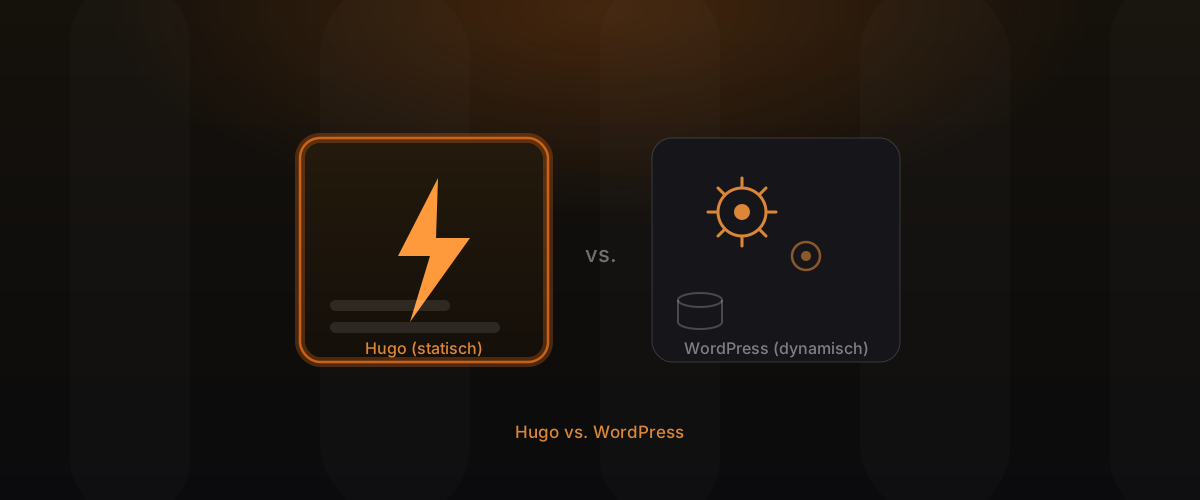
Few questions split the web world as reliably as this one: Hugo or WordPress? It’s usually argued as a matter of faith, but that helps no one who has to make a business decision. Both systems are mature, both have their place, and both can be the wrong choice. Hugo is a static site generator that serves finished pages, WordPress a database-driven CMS with a huge ecosystem. This article compares fairly rather than dogmatically: on speed, security, cost, maintenance and editing, so you know what fits your business.
Key takeaways
- Hugo wins on speed, security and hosting cost, because it serves static pages without a database.
- WordPress scores on its plugin ecosystem, on very dynamic features and on daily editing by non-technical staff.
- A headless CMS connects both worlds: comfortable editing plus static speed.
- The right choice doesn’t depend on the system but on your requirements for editing, features and performance.
Two fundamentally different approaches
The difference lies at the core of the architecture. WordPress reassembles every page on every visit: it queries a database, runs PHP code, loads active plugins and then delivers the result to the browser. That’s flexible, but compute-intensive, and it happens anew on every single visit.
Hugo turns that around. It generates all pages once at build time as finished HTML and then serves them directly, without a database and without code computing in the background. Think of it as two restaurants: WordPress cooks every dish fresh when the guest orders, Hugo has everything perfectly prepared and serves it instantly. Almost all further strengths and weaknesses of both systems derive from this single architectural difference.
Speed and Core Web Vitals
Here Hugo has a structural advantage, not one you can optimise away. Serving finished HTML via a CDN is simply faster than assembling each page from a database and PHP first. That feeds directly into the Core Web Vitals, meaning loading time, responsiveness and visual stability, which Google officially rates as a ranking factor.
WordPress can be fast, but it takes work: caching plugins, image optimisation, a tidy theme and discipline with plugins. With Hugo, speed is the starting state, with WordPress it’s the result of ongoing maintenance. So anyone who values performance and SEO starts in the green with Hugo already.
Security and attack surface
A static site without a database and without a constantly running CMS offers barely any attack surface. A whole class of typical vulnerabilities, such as exploitable plugins, outdated cores and database attacks, simply disappears with Hugo, because the components for them don’t exist.
WordPress, due to its enormous reach, is a popular target. The system itself isn’t insecure, but its ecosystem of thousands of plugins is only as secure as the weakest installed element. Security with WordPress therefore means regular updates, careful plugin selection and maintenance. That’s doable, but it’s ongoing work that simply doesn’t arise with Hugo.
Hosting cost and maintenance
A Hugo site sits as files on a CDN and is simply delivered, without an expensive, permanently computing server. That makes hosting cheap, stable and almost unbreakable, even during sudden traffic spikes. Maintenance is essentially limited to occasional content and technical updates.
WordPress needs a running server with PHP and a database, regular updates of core, theme and plugins, plus backups and monitoring. That causes higher ongoing costs and a continuous maintenance effort. In return, you get a system that ships with many features without development. Whether that trade is worth it depends on how much of that feature set you actually use.
Editing and content workflow
This is traditionally WordPress’s strongest point: an editor logs in, writes in the familiar editor and publishes with one click, entirely without technical knowledge. For teams editing content daily and by many people, that’s a real advantage.
Hugo manages content as files, cleanly versioned. That’s transparent and robust, but unfamiliar at first for pure editors. The answer is a headless CMS: a comfortable editorial interface that manages Hugo content in the background. This gives editors the familiar comfort while the site stays technically static and fast. WordPress’s comfort advantage can largely be replicated this way, without buying into its speed and security drawbacks.
Hugo vs. WordPress: the direct comparison
| Criterion | WordPress | Hugo |
|---|---|---|
| Speed / Core Web Vitals | reachable with maintenance | strong out of the box |
| Security | regular updates needed | minimal attack surface |
| Hosting cost | running server, higher | CDN, cheap and stable |
| Maintenance effort | continuous | low |
| Daily editing | very comfortable | comfortable via headless CMS |
| Plugin ecosystem | huge, immediately available | features added deliberately |
When WordPress genuinely fits
Rejecting WordPress dogmatically would be dishonest. There are clear cases where it’s the more pragmatic choice:
- Heavy dependence on the plugin ecosystem: when you rely on specific plugins, say for bookings, membership areas or industry solutions that exist ready-made only for WordPress.
- Certain shops: established shop extensions cover many standard cases immediately, without custom development.
- Daily editing by non-technical staff: when a large editorial team publishes very frequently without technical support and there’s no budget for a headless setup.
- Very quick, simple projects: when a ready-made theme is enough and performance is secondary.
In these cases WordPress plays to its maturity and ecosystem, and it would be wrong to talk that down.
When Hugo wins
For the majority of classic company presences, Hugo plays to its strengths:
- Company sites, landing pages, portfolios and blogs, where speed, security and low running costs count.
- Multilingual presences, where every language version should be equally fast, without a heavy multilingual plugin.
- SEO-driven projects, where Core Web Vitals and clean HTML feed directly into visibility and conversion.
- Long-maintained presences, where low maintenance and a minimal attack surface save money and nerves over years.
Precisely because a headless CMS largely offsets the comfort disadvantage, there are far fewer reasons today to reach for WordPress purely for the editing experience than there were a few years ago.
An honest decision aid
Instead of a matter of faith, a sober self-assessment helps. Ask yourself these questions: do we really need a specific plugin that exists only for WordPress? Do we publish daily with a large, non-technical team? If yes, WordPress is a serious option. If no, and at the same time speed, security and low running costs matter, Hugo is usually the cleaner choice.
The order matters: clarify the requirements first, then choose the system, never the other way round. Those who fix the system first and then bend the requirements to it pay for that later in the form of compromises, higher costs or a relaunch. We advise deliberately tool-agnostic and recommend what fits your case, not what we like best.
Switching and relaunch: what to keep in mind
A move from WordPress to Hugo is straightforward and worthwhile in most cases, provided it’s done cleanly. Content is taken over, structure and performance improved in the process. What’s decisive are correct redirects, so existing rankings are preserved and no visitors land on error pages.
A common misconception is the worry that switching harms the ranking. The opposite is true when the move is done properly: faster, technically cleaner pages tend to rank better, not worse. Those who plan to stay heavily dependent on certain WordPress plugins, however, should honestly check before switching whether those features can be mapped cleanly another way.
Frequently asked questions
Is Hugo always faster than WordPress? In practice almost always, because it serves finished HTML. WordPress can be fast with a lot of maintenance, but rarely reaches the same starting state as a static site.
Can I maintain my content myself with Hugo? Yes. Via a clear file structure or a connected headless CMS, editors work as comfortably as in WordPress, without its speed drawbacks.
Is WordPress insecure? WordPress itself isn’t insecure, but its plugin ecosystem enlarges the attack surface. Security there requires regular updates and careful plugin selection.
Does a webshop work with Hugo? For manageable shops yes, usually combined with a specialised service for cart and payment. For very complex shops with heavy WordPress plugin dependence, WordPress can be the more pragmatic choice.
Is it worth switching from WordPress to Hugo? Often yes, especially when speed, security and low running costs matter and you’re not strictly dependent on certain WordPress plugins.
What does a Hugo website cost in comparison? The build is project-dependent, so pricing is on request. The ongoing hosting and maintenance costs afterwards are typically significantly lower than running a classic WordPress site.
Conclusion
Hugo vs. WordPress isn’t a matter of faith but a question of your requirements. WordPress scores on its plugin ecosystem and daily editing by non-technical staff, Hugo on speed, security and running cost, and a headless CMS connects both worlds. Those who clarify the requirements first and then choose the system make the right decision.
Learn more on Web Engineering and Web App Engineering. On the topic of speed: Why a Hugo website loads faster and ranks better.